Welcome to your go-to resource for mastering CALM Software! This training hub is designed to guide you through everything you need to know to streamline your conveyancing process and make the most of CALM’s powerful features.
You’ll find guides, interactive video tutorials and direct support options that will help you and your team get up to speed quickly and confidently.
Customise Fees
& Documentation.
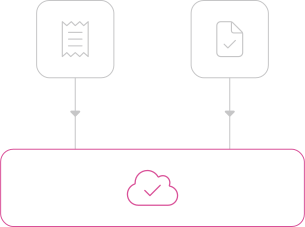
We collect all necessary fees and onboarding documentation and upload them directly to the software, ensuring every aspect of your workflow is covered from start to finish.
Tailored Workflow.
All quotes, tasks, documents, and products are customised for each referrer, based on how you work with them.
Once all your fees and documents are added, your teams will be able to easily add new cases into the software, with relevant tasks automatically assigned.
Referrer 1 Manages Client Searches
Searches are excluded from workflow
Referrer 1 Manages Client Searches
Searches are excluded from workflow
Automated Process.
When there are no referrer restrictions in place, the following processes will be automatically triggered, these are shown on the right:
All tasks, documents, and payment processes are customised for every referrer, with no limit on the number of referrers or configurations that can be set up.
Confirm client’s send client care letters
Personal information
Confirm property information
Collect money on account
Take payment for and order searches
Take payment for and order IDs for all individuals involved in the transaction
Supply the relevant TA protocol forms based on transaction type
Setting Up Your Teams.
We will set up your staff as users and, where applicable, create teams within the software.
This will be done in consultation with you to ensure the correct people have access to the appropriate information.
All tasks, documents, and payment processes are customised for every referrer, with no limit on the number of referrers or configurations that can be set up.
Required Information
We will need the full name, email address and role of each user to complete the setup.
Training Guide: Teams / Users
Training Videos for teams using CALM.
You and your team will have access to a test environment where you can trial adding cases and completing the client journey. This gets everyone used to how it works both for yourself and your clients before going live.
We will provide a test login.
Please Note
The information in the test environment is for demonstrative purposes and not based on your own referrers or fee scales.
Training Guide: Teams / Users
Adding A New Client
In this tutorial video, I demonstrate how to add a new case to the software, guiding you through each step from logging in to creating the case with detailed client and transaction information. No action is requested from the viewers.
Once a new client case is added into the software, the client receives an email to set a password and access their portal. They can complete essential documentation and tasks there. The client needs to confirm personal details, sign client care letters, add proof of funds, and complete sale-related forms. All information is housed in one client portal, providing transparency and progress updates for both the client and the user. No specific action requested from the viewer.
This video is a walkthrough of the case management process in our software, detailing how to track client progress, resend information, monitor task completion, and update milestones. Viewers are shown how to access client information, track task statuses, and manage client documents efficiently. Action requested: Familiarize yourself with the client portal features and milestone tracking for effective case management.

Training Guide: Support
CALM provides continous tech support for both teams & clients
For You and Your Team.
All quotes, tasks, documents, and products are customised for each referrer, based on how you work with them. For example:
Initial Support: After 2 working days of using CALM, we will schedule a Q&A call if needed. This call will address any questions your team has or provide additional training if required.
Expert User: We recommend designating an ‘expert’ user within your organisation. This individual will serve as the first point of contact for any internal questions or issues. They will communicate with us on your behalf, ensuring a streamlined support process.
Direct Support: If your expert is unavailable or an urgent issue arises, team members can contact our support team directly at support@calm.network
For Your Clients.
Initial Support: After 2 working days of using CALM, we will schedule a Q&A call if needed. This call will address any questions your team has or provide additional training if required.
Expert User: We recommend designating an ‘expert’ user within your organisation. This individual will serve as the first point of contact for any internal questions or issues. They will communicate with us on your behalf, ensuring a streamlined support process.
Our support system is designed to provide quick and effective assistance, helping both your team and clients navigate any challenges they encounter while using CALM.